


Book Cataloging Software for Libraries and Private Collections | PowerBK
Automatically download book data from the internet. For public libraries, private collectors, and schools.

Since 2010, PowerBK has been used to catalog books, magazines, and ebooks in libraries, schools, associations, and private collections.
Book cataloging software with ISBN, barcodes, and OPAC
📚 Digital book archiving;
🔎 Automatic ISBN search;
🏫 School libraries;
☁ Multi-workstation cloud database;
🔎 Google Books and Open Library integration;
🔎 OPAC and Crossref catalog;
🏷 Barcode reader integration.
PowerBK is Windows software for managing private, school, and professional libraries. It catalogs books, magazines, and ebooks by ISBN, retrieves data from online sources, and manages barcodes, loans, labels, and OPAC catalogs.
ℹ️ Details about barcode integration
The software includes several data search and display functions, with options to print or export information in different formats (Excel, Word, XML, and others). Enter an ISBN and PowerBK automatically retrieves the title, author, cover, and other available book information from online sources.
ℹ️ More information about ISBN and data retrieval
It also supports Dewey classification, simplified book searches using barcode readers, and the generation and printing of adhesive labels.
ℹ️ Learn more about Dewey classification
PowerBK is available as both a free version and commercial editions. The free version manages a limited number of books and has some limited or disabled features, such as downloading book data from online sources.
The application can use a remote MySQL database, allowing multiple internet-connected workstations to access and work with the same shared archive.
Reviews and social updates
Follow us on Facebook to receive updates about news, new releases, and our main activities.
What users say:
⭐⭐⭐⭐⭐
PowerBK is excellent software for managing a personal library. After purchasing it, I was very satisfied. EXCELLENT product! I recommend it 100% to anyone who needs a tool for this purpose.
Pierfrancesco della Ventura, 04/09/2026.
⭐⭐⭐⭐⭐
I purchased PowerBK software to manage my books and I am very happy with it. Excellent support and courtesy.
Arturo de Cristofaro, August 2026.
⭐⭐⭐⭐⭐
I have just purchased PowerBK for my private library. I must say it is very good. I chose this program because it seemed the most functional [...] and affordable for someone like me, who has always preferred spending money on books rather than on software to manage them.
A. Marino - February 2026, by email
⭐⭐⭐⭐⭐
A complete and easy-to-use program with an appealing interface.
Pasquale Ariani, 04/02/2022.
Contact us for more information
For further information:
You can schedule a telephone appointment with one of our consultants to learn about the available functions, purchasing options, payment methods, and other aspects of the software.
In some cases, data can be imported from other applications. Contact us and specify the name of the software from which the data will be exported and which data should be transferred.
Book cataloging, search, and management
Organize the catalog with tools designed for library management
Functions and features
- Demo version. A free demo version can be downloaded without registration;
- Automatic free updates;
- Perpetual licenses. A purchase option is available that does not require annual renewal;
- Purchase with automatic activation. The 2Checkout system automatically sends the license after payment confirmation;
ℹ️ Learn more about license management
- Purchase with multiple activations. The purchase includes a license with multiple activations: the customer can install the software on several computers within the limit stated in the purchase information;
- Windows 32 / 64 bit. The application is native Windows software and does not require a browser or virtual machine;
- Protection and security. The program is protected by an access password and includes an automatic database backup function;
ℹ️ Learn more about backups
ℹ️ Backups for school libraries
- Multi-user access. PowerBK and its data can be accessed from several computers on a LAN; each user has individual settings, and one or more databases can be used;
- Customizable screens – Configure screen fonts and colors and modify the content of the data forms;
- Option to install the database in the cloud and share data between different internet-connected workstations;
- Invio integrato di email and SMS;
- Advanced data export. Data can be exported from most sections in several formats (.xls, .doc, .pdf, .csv, .html, and others);
ℹ️ Learn more about data export procedures

The programs are distributed through digitally signed installers using certificates issued by certification authorities GoGetSSL.com e DigiCert.
The digital signature can be used to verify the installer's authenticity, the publisher's identity, and the integrity of the distributed file.
🛡️ Check the security of our installers through VirusTotal scans.
Changelog | Recent changes
The following are the main changes recently made to the software:
-
Version 8.1.1 - 25/05/2026
- Updated the core libraries;
- Excel export without requiring Microsoft Excel
-
Version 7.5.5 - 14/05/2026
- Improvements to the online book search window
-
Version 7.4.3 - 23/04/2026
- Fixed an issue affecting the sending of error-report emails
-
Version 7.4.2 - 04/03/2026
- Fixed minor issues
-
Version 7.4.1 - 29/01/2026
- Improved database backup procedures
-
Version 7.3.4 - 25/01/2026
- Improved diagnostic and troubleshooting procedures
-
Version 7.3.3 - 19/01/2026
- Improved automatic software updates;
- Added a procedure for quickly changing book locations
-
Version 7.3.2 - 18/01/2026
- Improved the installer and automatic update procedure;
- Improved the procedure for sending the database to technical support
-
Version 1.0.0 - 17/11/2010
- First official release
PowerBK functions
Book management – Structured book cataloging with dedicated library-management tools.
Magazine and ebook management – Storage and organization of periodicals and digital books.
Integration with Google Books, Crossref, Open Library, and OPAC – Connection to external catalogs to enrich book records automatically.
Dewey classification support – Book classification according to the international Dewey Decimal Classification system.
School library management – Tools for managing libraries in schools.
ℹ️ More information about school libraries
Book movement records – Tracking books through acquisitions, loans, and returns.
Loan management – Management of library loans and any book sales.
ℹ️ More information about loan management
Printing and export – Generation and saving of bibliographic records in various formats.
ISBN search – Quick book entry by ISBN with automatic data searches.
Barcode reader integration – Barcode scanner support for book registration and loan operations.
OPAC catalog access – Access to library catalogs and automatic retrieval of book data
SMS messaging – Automatic SMS notifications through integrated services.
User and contact management – Storage and management of library users, readers, and contacts.
Email messaging – Automated communications for due dates, loans, and informational notices.
WhatsApp support – Quick communications through WhatsApp integration.
Choose the edition that suits your needs
PowerBK is available with annual or perpetual licenses, with no renewal fee for perpetual licenses
Manual and information

PowerBK use cases
PowerBK is suitable for:
📖 Private libraries;
🎓 Schools;
🏢 Corporate libraries;
👔 Private collectors;
🏪 Used-book shops.
ℹ️ How to choose book cataloging software
ℹ️ How to catalog a private library
ℹ️ Library software for associations
ℹ️ PowerBK for religious libraries
Environmental impact and responsible use
PowerBK is distributed digitally, without packaging, printed manuals, or physical media required for installation. The software manages catalogs, inventories, loans, and consultations electronically, helping to reduce the use of registers and paper documentation in routine cataloging activities.
PowerBK can run on standard Windows computers already available in libraries, schools, associations, and private homes and does not require dedicated hardware. Its actual environmental impact nevertheless depends on how it is used, the computer involved, energy consumption, and any printing performed by the user.
How much does PowerBK cost?
PowerBK is available in three editions based on the number of books to be cataloged. For each edition, you can choose an annually renewable license or a perpetual license.
PowerBK Base (up to 500 books)
• Annual license: €12.00
• Perpetual license: €50.00
PowerBK Professional (up to 2,500 books)
• Annual license: €20.00
• Perpetual license: €90.00
PowerBK Extended (unlimited)
• Annual license: €40.00
• Perpetual license: €170.00
Prices exclude VAT
👉 Proceed to purchase
📄 Purchase terms
💬 Questions? Contact us
Frequently asked questions (FAQ)
Question: Can PowerBK catalog books by ISBN?
Answer: Yes. PowerBK automatically retrieves the title, author, publisher, and cover by ISBN.
Question: Does PowerBK allow database backups?
Answer: Yes. PowerBK includes database backup features and allows you to configure backup copies of your data. For more information, see the dedicated backup page.
Question: Is PowerBK suitable for a school library?
Answer: Yes. PowerBK can manage book catalogs, loans, barcodes, and data exports for school libraries.
Question: I purchased an annual license and it is about to expire. How do I renew it?
Answer: The PowerBK page includes a 'Renewal' section. Open that page and follow the instructions provided.
Question: Are updates free?
Answer: Yes. Updates are released regularly and free of charge.
Question: Can I import an Excel file or data from my current application?
Answer: Yes. PowerBK includes advanced data import functions. Contact us for further information.
Question: Can I try the software before purchasing it?
Answer: Yes. A free demo is available.
Question: I entered data in the demo version. Will I lose it if I purchase PowerBK?
Answer: No. The data is retained automatically.
Question: Do I need to purchase a license for each computer?
Answer: No. One license can activate several computers, within the limits stated in the purchase terms and FAQ.
Question: Can I receive an invoice for my purchase?
Answer: Yes. During checkout, you can request an invoice by completing the relevant fields.
Question: Will I lose my data if I do not renew the annual license?
Answer: No. License expiration does not delete data already stored in the database.
Question: Is a monthly subscription required?
Answer: No. The software can be purchased with a perpetual license.
Question: Can I use a cloud or local-network database?
Answer: Yes. The database can be installed locally, on a computer in the LAN, or on a remote MySQL server.
Question: Can I share the database between two or more computers?
Answer: Yes. Multiple workstations can read from and write to the same database simultaneously.
Why use PowerBK instead of Excel?
Although Microsoft Excel can be used to create a simple book list, it was not designed for library management. The following table highlights the main differences between a traditional spreadsheet and dedicated software such as PowerBK.
| Function | Excel | PowerBK |
|---|---|---|
| ISBN cataloging | ❌ Manual | ✅ Automatic |
| Automatic data retrieval | ❌ | ✅ Google Books and other sources |
| Book cover | ❌ | ✅ Automatic |
| Loans | ⚠ Manual | ✅ Integrated |
| Advanced search | ⚠ Limited | ✅ Integrated |
| Dewey classification | ⚠ Limited | ✅ Supported |
| Barcode | ❌ | ✅ Supported |
| OPAC catalog | ❌ | ✅ Available |
| Data export | ⚠ Limited | ✅ Excel, PDF, CSV, ... |
| Database backup | ❌ Manual | ✅ Integrated |
| Shared database | ⚠ Limited | ✅ Supported |
| Management of thousands of books | ⚠ Limited | ✅ Supported |
With PowerBK, books are not simply rows in a spreadsheet: they become structured records containing detailed bibliographic information. ISBN-based retrieval can automatically obtain data such as title, author, publisher, cover, and other metadata, reducing the time required for manual entry in Excel.
PowerBK includes library functions that would require tables, formulas, macros, or external procedures in Excel. Examples include advanced search filters, support for Dewey Decimal Classification (DDC), loan and return management, and structured database organization. These tools can be used for both small personal collections and larger libraries, helpful in limiting data-entry errors and inconsistencies.
Unlike Excel, which requires manual formatting and formula management, PowerBK was developed specifically for library workflows. Users can therefore focus on managing their collection rather than maintaining the structure of a spreadsheet.
In summary, Excel is a general-purpose tool, while PowerBK is a dedicated library-management system designed to provide a structured approach to cataloging, searching, and loan management.
Importing data from Excel and other software
If you already have a book archive created with Microsoft Excel or another cataloging application, the existing data can often be reused without having to enter it again manually.
PowerBK includes data import functions and supports different exchange formats. When the source application uses a different format, we can assess a custom conversion procedure.
Commonly supported sources include:
- ✔ File Microsoft Excel (.xls e .xlsx)
- ✔ File CSV
- ✔ Database Microsoft Access
- ✔ Exports produced by other management applications
📧 Contact us for a free assessment of your data compatibility
How should a personal book collection be organized?
Organizing a personal book collection begins with creating a clear and consistent system for cataloging the volumes. The aim is to make each book easy to find, identify, and manage over time.
First, decide how the collection should be classified. Common categories include genre, author, reading status (read or to be read), and subject. A more structured approach uses standardized systems such as Dewey Decimal Classification (DDC), which can be particularly useful as the collection grows.
Next, assign each book a unique identifier. The ISBN is the most straightforward option and can be used to retrieve bibliographic information such as title, author, publisher, and cover image when available. This reduces manual data entry and helps keep the catalog consistent.
After defining the structure of the collection, choose a tool to manage it. Spreadsheets may be adequate for very small collections but can become difficult to maintain as a library grows. A dedicated library-management system such as PowerBK stores structured book records, supports searches across the collection, and allows information to be updated consistently.
Finally, keep the system up to date. New books should be added promptly, and changes such as loans and returns should be recorded regularly so that the collection remains accurate and useful.
A well-organized personal library is not only about storing books. It also requires a consistent, accessible system for finding, managing, and updating the collection over time.
Create a book catalog using ISBN codes
PowerBK is book cataloging software for creating and organizing a structured catalog. Through automatic ISBN-based data retrieval, you can scan a barcode with a standard USB barcode reader or type the ISBN manually to retrieve the main bibliographic information from online sources, including title, author, publisher, series, publication year, page count, and cover image when available.
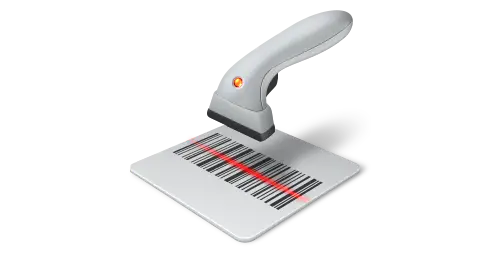
Example of a barcode reader
This function reduces the time required for manual bibliographic data entry and helps limit typing errors. It can be used by libraries, schools, organizations, associations, bookshops, and collectors managing collections ranging from a few dozen to thousands of volumes.
When an archive is currently managed in Excel, PowerBK provides functions specifically designed for book cataloging. In addition to ISBN-based data retrieval, it includes dedicated tools for searching, classification, loan management, label printing, and report generation, allowing a simple spreadsheet to be converted into a structured catalog.
Bibliographic standards and sources
PowerBK integrates with several bibliographic standards and online services to reduce manual cataloging work and improve the quality of stored data.
📚 ISBN (International Standard Book Number)
International code used to uniquely identify
book publications.
🔗 ISBN International
📖 Google Books
Service used to retrieve bibliographic
information automatically.
🔗 Google Books
📚 Open Library
Collaborative bibliographic catalog used to integrate
a wide range of book information automatically.
🔗 Open Library
🏛 SBN OPAC Catalog
The Italian National Library Service catalog can be used
to consult and retrieve bibliographic information.
🔗 OPAC SBN
📚 Crossref Infrastructure
Crossref is an international infrastructure for metadata on academic and scientific publications.
PowerBK can use it as an additional source to search for books and other publications by ISBN,
title, author and other criteria, retrieving the metadata available in the indexed records.
🔗 Crossref
📚 Dewey Decimal Classification (DDC)
PowerBK supports bibliographic classification according to
the Dewey system.
🔗 OCLC Dewey Decimal Classification
Some of our customers

👉 Florence Bilingual School.
Customer since 2024.

👉 University of Milano-Bicocca.
The University has used PowerBK since 2016 to catalog books and magazines.
The software is used to organize the bibliographic catalog, support searches, and manage
the institution's archive.
ℹ️ PowerBK in a university environment

👉 A.I.A.S. - Cosenza Branch.
A.I.A.S. - Cosenza Branch has been among PowerBK users since 2026.
The software is used to organize the book catalog and maintain
bibliographic information in a structured archive.
Collaborations / Partnerships

PowerBK was also developed in collaboration with Pasquale Ariani di Ombra Investigazioni.
The collaboration, which began in 2018, contributed to the software's development through the addition of numerous functions based on suggestions provided by Pasquale Ariani.
👉 Visit the Ombra Investigazioni website.
Write a review
About us
PowerBK is developed by Antonio de Francesco (LinkedIn profile).
Development began in 2010 when a customer requested software to catalog the books in a private library. After the initial project was completed, the software continued to be developed over the years and gradually incorporated its current functions.
The software is distributed by PowerWolf Software Solutions.


PowerBK is developed for Windows using professional software-development tools. The application's core is created with LabVIEW by National Instruments, a platform widely used to create data-acquisition systems and engineering applications.
Some components and support modules are developed with Microsoft Visual Studio, the integrated development environment from Microsoft.
This combination is used to develop the application's main interface and support modules.